
What we’re doing now
For each classmate on your list, we’re hoping to do two things:
- Check their infoMake sure we have the right phone and email for them.
- Ask if they’re comingAre they thinking of coming to our 50th, and would they bring a guest? A maybe helps us plan too.
There’s no commitment now. We’ll send registration details once we’ve set the date.
Getting started
- Use your private linkThe committee sends it just to you. It ends in your own code. Please keep it to yourself: it shows classmates’ contact details.
- Bookmark itOr add it to your Home Screen: in Safari, tap the Share button, then “Add to Home Screen.”
- Practice first, if you likenwc77.org/
volunteer/?v=TEST has five made-up classmates. Nothing you save there is kept.
Your list
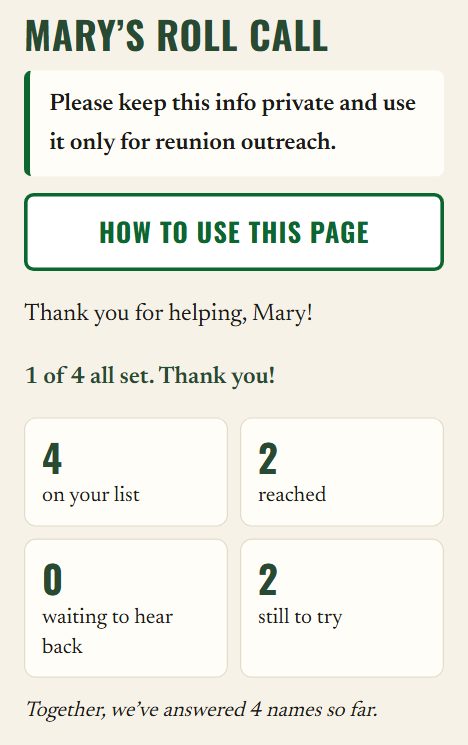
- The privacy pledgeAlways at the top: “Please keep this info private and use it only for reunion outreach.”
- How to use this pageOpens this guide any time.
- “1 of 4 all set”How many on your list are confirmed and have answered “Are they coming?”
- Your four boxesOn your list · reached · waiting to hear back · still to try. They update as you report.
- TogetherOne shared total for the whole class: “Together, we’ve answered … names so far.” No rankings, no comparisons.
Reading a card
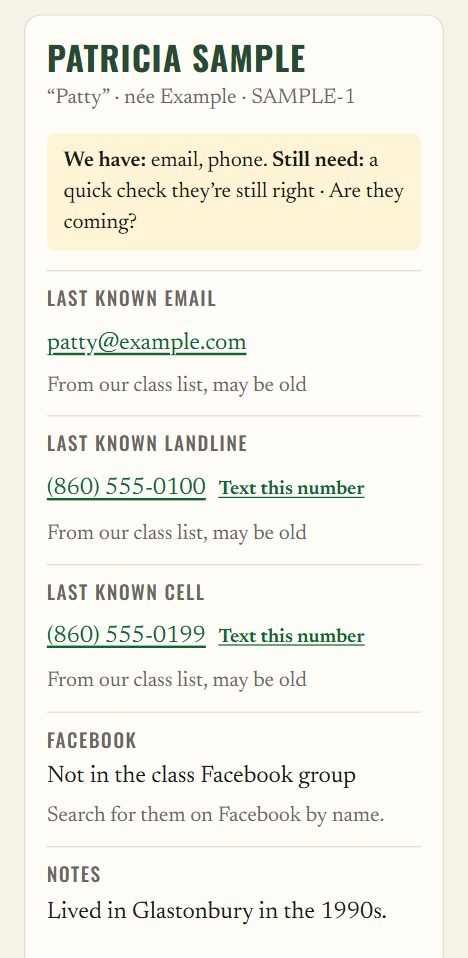
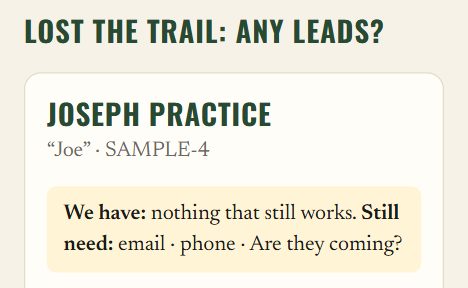
- “We have … Still need …”The yellow line at the top says what we can use and what’s missing, for example “Still need: a quick check they’re still right · Are they coming?”
- Name and nicknamesTheir name today, the name they went by, and their maiden name (“née”).
- Last known email and phoneEach number says what it is: “Last known landline,” “Last known cell,” or just “phone” (or “Second phone”) when we don’t know. Under each one, how sure we are: “From our class list, may be old” means expect a few dead ends.
- ⚠ Wrong number / bouncedA detail someone found was wrong is crossed out, with ⚠ and the date. The buttons skip it.
- FacebookWhether they’re in our class group, with a link to their page or a tip to search by name.
- New details foundA number or email another volunteer found that the committee hasn’t checked yet. Try it!
- Notes, Recent activity and TipsBackground from the committee, every try so far (newest first, older ones under “Show all”), and hints classmates sent through the Find page.
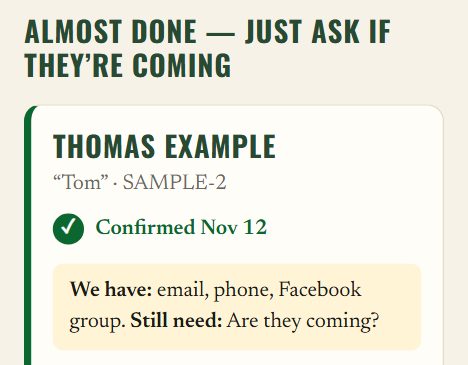
- Coming:Once they’ve answered, for example “Coming: Maybe, with a guest (told Mary, Nov 12).”
The four groups
- Still to reachAt the top of your list, with no heading: classmates we haven’t confirmed yet.
- Almost done — just ask if they’re comingTheir info is confirmed. One quick question left; the message buttons are still there.
- All setConfirmed, and we know whether they’re coming. No messages needed. You can still add a note.
- Lost the trail: any leads?Everything we had turned out to be wrong. There are no message buttons, but any new lead helps: tap “How did it go?” to pass it on.
The easiest way: send their link
Every classmate has a private link that lets them check their own info and tell us if they’re coming, in about a minute. Sending it is the easiest way to help. The messages are ready-made; you just press Send.
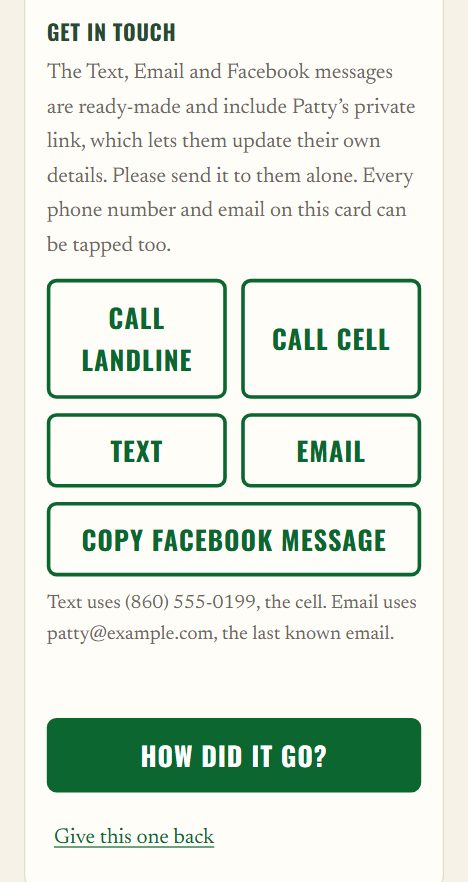
- CallDials their phone. With two numbers there’s one for each: Call landline and Call cell (or Call main number and Call second number).
- TextOpens Messages with the note already written. It goes to a number marked Cell; if neither is, to the main number.
- EmailOpens your email with the subject “[NWC77] Are you coming to our 50th?” and the note ready.
- Copy Facebook messageCopies the note. Open Facebook, find them, and paste it into a message.
- Which number and email?A line under the buttons says, for example “Text uses (860) 555-0199, the cell.”
- Newest lead firstIf another volunteer found a number or email the committee hasn’t checked yet, Call and Text try that first.
- Every number on the card worksTap any phone number to call it, including ones in Notes and Tips, or “Text this number” beside it. Tap an email to send your ready-made email.
What your message says
That’s the text and Facebook message. The email says the same a little more fully, including: “There’s no commitment now. We’ll send registration details once we’ve set the date.”
- You’re in controlNothing sends by itself. Add a personal line before you press Send.
- If copying doesn’t workThe page shows the message in a box. Press and hold, choose Select All, then Copy.
Then tap How did it go? to tell us what happened.
↑ Back to topIf you talk with them
Three quick questions:
- Is this still your best phone and email?Read them what’s on the card.
- Are you thinking of coming to the 50th?Yes, maybe or no. A maybe helps us plan too.
- Would you bring a guest?Ask after a yes or a maybe.
If they’d like the link to our class Facebook group, the Text, Email and Facebook messages include it. And there’s no commitment now: we’ll send registration details once we’ve set the date.
↑ Back to topTell us how it went
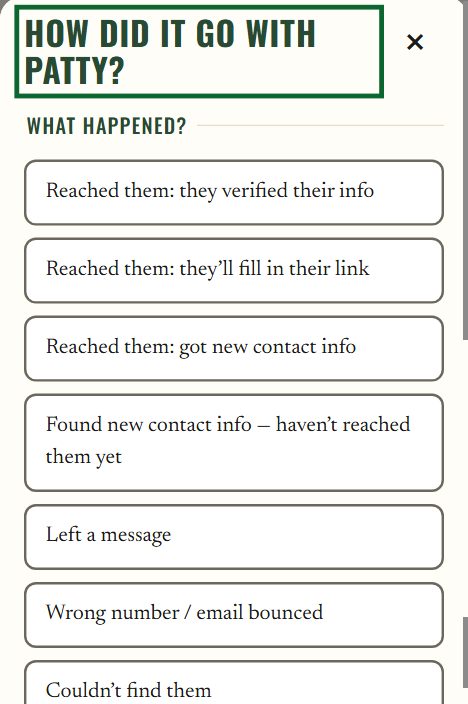
After each try, tap How did it go? and choose the one that fits best:
- Reached them: they verified their info
They checked their phone or email with you. - Reached them: they’ll fill in their link
You talked, and they’ll use their link themselves. - Reached them: got new contact info
You talked and got a new email, number, Facebook page or mailing address. - Found new contact info — haven’t reached them yet
A lead you found, but you haven’t spoken with them. - Left a message
Voicemail, a text or a message, and no answer yet. - Wrong number / email bounced
A number or email isn’t theirs. You tick which one. - Couldn’t find them
No luck this time. - Other / sad news (goes only to the committee)
Anything private, or sad news.
“They verified their info”
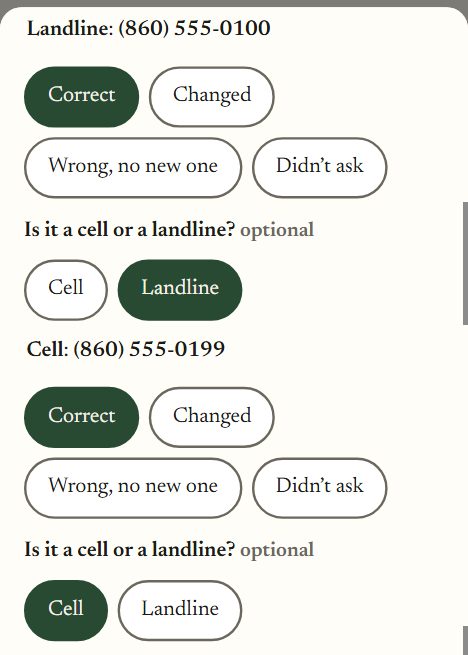
- Each email and numberMark it Correct, Changed (then type the new one), Wrong, no new one or Didn’t ask.
- Is it a cell or a landline?Tap Cell or Landline under each number, if you know. The form reminds you: “Landline still works? Mark it Correct and add the cell as another number.”
- Facebook: they joined the class groupTick it if they did.
- ThenThe committee checks it and marks them Confirmed.
Add another number
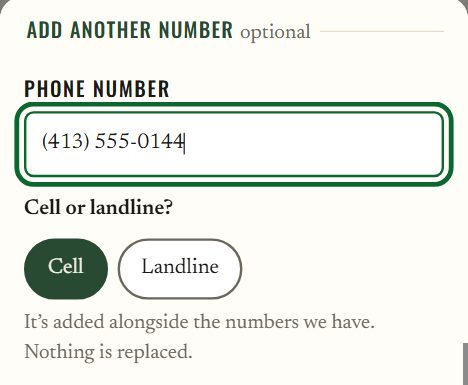
Every report except Other / sad news has it. Type the number, then tap Cell or Landline. It’s added alongside the numbers we have. Nothing is replaced.
Found new contact info?
- New email, New Facebook profile linkType them in the boxes. Even if you only got voicemail, save what you found.
- Mailing addressOnly with “Reached them: got new contact info”: Street, City / town, State, ZIP. It’s optional, goes only to the committee, and never shows on Roll Call.
- Checked firstThe committee checks new details before they go on the class list.
Are they coming?
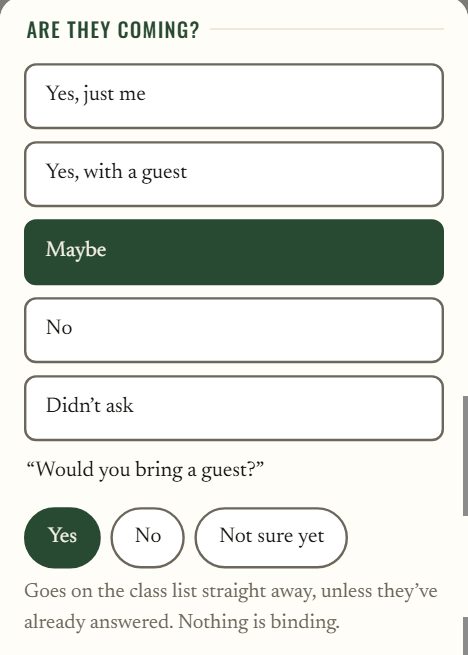
Every “Reached them” report asks it: Yes, just me · Yes, with a guest · Maybe · No · Didn’t ask. After Maybe, it asks “Would you bring a guest?”: Yes · No · Not sure yet.
If they haven’t answered before, it goes on the class list straight away. If they already answered on their own link, theirs stays and the committee looks at the difference.
The rest of the form
- How did you try?Tap Call, Text, Email or Facebook. It’s optional.
- Notes are sharedThe next volunteer sees your note: great for tips like “Try after 6pm.” Anything private? Choose Other / sad news.
- A number in your note?Put it in the Add another number box (or an email in New email), so it can go on the class list. The form gives you a gentle reminder.
- Save what happenedWait for “Saved — thank you!” If it says “That didn’t save,” what you typed is still there. Try again, or email the committee at nwcreunion77@gmail.com.
Phone numbers
A classmate can have two numbers on file, each marked Cell or Landline.
- Landline still worksChoose “Reached them: they verified their info,” mark the landline Correct, then type the cell under Add another number and tap Cell.
- Not theirs any moreChoose “Wrong number / email bounced” and tick just that number. The other one keeps working.
- Texts go to the cellOnce a number is marked Cell, the Text button uses it.
Maybe with a guest counts too
Maybe with a guest counts too. Tap Maybe, then answer the guest question.
It helps the committee plan the right size room. The card then shows, for example, “Coming: Maybe, with a guest (told Mary, Nov 12).”
↑ Back to topPrivacy and opt-outs
These appear when you’ve reached someone.
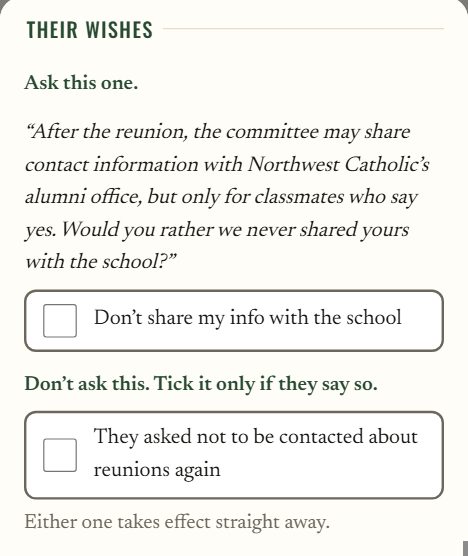
Ask this one, near the end of the call
Listen for this one. Don’t ask it
If they tell you they don’t want to hear about reunions anymore, tick “They asked not to be contacted about reunions again.” Thank them warmly and end the call kindly.
Keeping things private
- Each link is for one personSend a classmate’s message to them alone, and keep your Roll Call link to yourself.
- Always honour a “no”If someone asks not to be contacted, tick the box and thank them kindly.
- Mailing addresses stay with the committeeAn address you pass on never shows on Roll Call.
Ready for more?
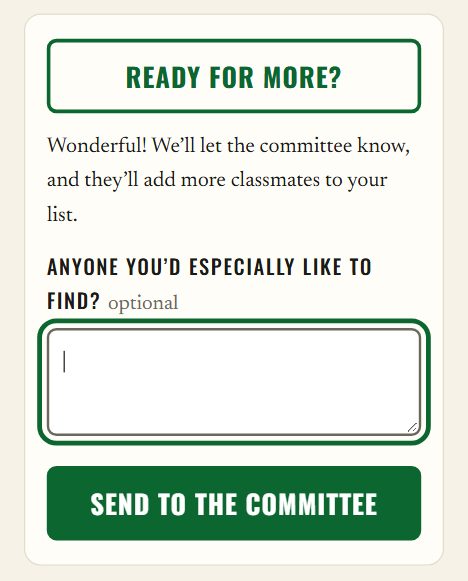
- Ready for more?Finished your list? Tap it at the bottom of the page, then Send to the committee. They’ll add more classmates for you.
- Anyone you’d especially like to find?Type their names. Old friends and teammates are the best matches.
- Give this one backNot the right fit, or out of ideas? Tap it under the classmate’s card, and someone else can try.
If something doesn’t look right
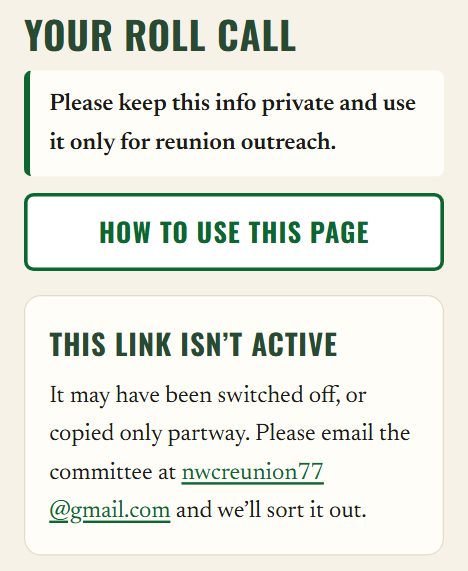
- “This link isn’t active”It may have been switched off or copied partway. Email the committee and we’ll send a fresh one.
- Page is slow to loadYou’ll see “Loading your list…” Give it a moment, or try again in a minute.
- Questions, or sad news to share?Email nwcreunion77
@gmail.com any time.